# Page settings
Page settings control how an individual page behaves — its URL, SEO metadata, status code, redirect, and more. Open Page Settings by clicking the gear icon next to any page in the Pages panel.
General page settings
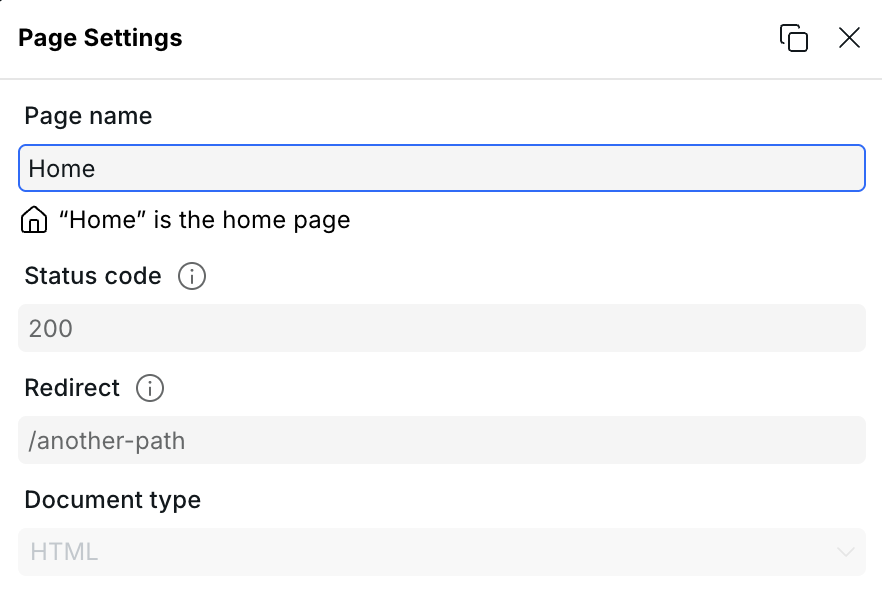
## Page name
The name displayed in the Pages panel in the builder. It does not affect the URL or any output — it's purely for organizing pages in the editor.
## Path
The URL path for this page, e.g. `/about` or `/blog/:slug`.
Dynamic segments use a `:` prefix (e.g. `:slug`), making the page a [Dynamic Page](https://docs.webstudio.is/university/cms#dynamic-pages). Optional segments use `?` (e.g. `:slug?`). Wildcards capture the remaining path (e.g. `/*` or `/:slug*`).
## Status code
The HTTP status code returned when this page is requested. Defaults to `200`.
Can be bound to an expression to return a different code conditionally — most commonly `404` when a dynamic page receives a parameter that doesn't match any CMS record. See [Handling dynamic 404s](https://docs.webstudio.is/university/cms#handling-dynamic-404s) for details.
## Redirect
Redirects all requests for this page's path to another path. Useful for retired URLs or reorganized site structure.
Enter a path such as `/new-page`. This performs a `301` permanent redirect. Leave empty if no redirect is needed.
The redirect field supports expressions, making it dynamic. For example, on a dynamic page you can redirect to your 404 page when no CMS data is found. See [Alternative: redirect instead of showing 404 content](https://docs.webstudio.is/university/cms#alternative-redirect-instead-of-showing-404-content) for details.
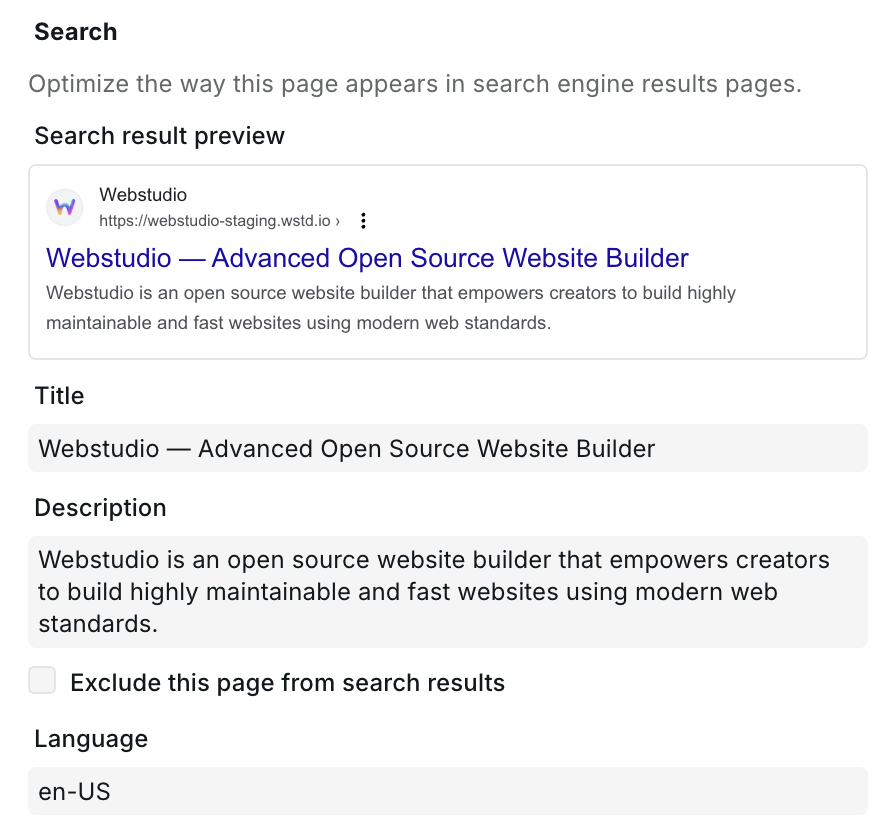
## Language
Sets the `lang` attribute on the `` element for this page, e.g. `en`, `fr`, `de`. Used by browsers, screen readers, and search engines to identify the page language.
Can be bound to an expression — for example using a URL parameter — to serve pages in different languages from a single Dynamic Page.
## Document type
Defaults to **HTML**. Switch to **XML** when building XML-based pages such as sitemaps or RSS feeds. See the [XML Node component](https://docs.webstudio.is/university/core-components/xml-node) for details.
## Search
SEO settings that control how the page appears in search engine results.
SEO settings with search result preview
### Title
The `` tag and the headline shown in search results. Should clearly describe the page content. Can be bound to a CMS variable on dynamic pages.
### Description
The meta description shown as the snippet in search results. Does not affect rankings directly but influences click-through rate. Can be bound to a CMS variable.
### Exclude from search
Adds a `noindex` directive to the page, preventing search engines from indexing it.
## Social image
The Open Graph image displayed when the page is shared on social media (Facebook, X, LinkedIn, etc.). You can either upload an image or bind a URL expression to a dynamic image from your CMS.
<figure><img src="https://330243581-files.gitbook.io/~/files/v0/b/gitbook-x-prod.appspot.com/o/spaces%2FTep4EGj6hSC54ozHujyK%2Fuploads%2Fgit-blob-d552a6927864b0d6359b48af6c57501ea9b9a6db%2Fpage-settings-social.png?alt=media" alt="Social image section with social preview card"><figcaption><p>Social image with preview</p></figcaption></figure>
## Custom metadata
Add arbitrary `<meta>` tags to the page's `<head>`. Each entry has a **property** (the meta tag's `name` or `property` attribute) and a **content** value, both of which support expressions.
<figure><img src="https://330243581-files.gitbook.io/~/files/v0/b/gitbook-x-prod.appspot.com/o/spaces%2FTep4EGj6hSC54ozHujyK%2Fuploads%2Fgit-blob-013895b0887c4074b5976e2415325547a77bdb8a%2Fpage-settings-custom-metadata.png?alt=media" alt="Custom metadata section with a property and content row filled in"><figcaption><p>Adding a custom meta tag</p></figcaption></figure>
Use this for meta tags not covered by the fields above, such as `og:type`, `twitter:card`, or any custom meta needed by third-party integrations.
## Dynamic data
Variables and Resources defined on the page are scoped to that page and are available to bind to components and Page Settings fields. Define a [Resource variable](https://docs.webstudio.is/university/variables#resource) here to fetch CMS data and then bind it to the Title, Description, Status Code, and other fields above.
## Related
* [CMS](https://docs.webstudio.is/university/foundations/cms) – Connect to a CMS and use dynamic data on pages
* [Dynamic 404 handling](https://docs.webstudio.is/university/cms#handling-dynamic-404s) – Return 404 when CMS data is missing
* [Project settings](https://docs.webstudio.is/university/foundations/project-settings) – Site-wide settings such as favicon, custom code, and redirects
* [Data variables](https://docs.webstudio.is/university/foundations/variables) – Define and use variables on pages
* [Expression editor](https://docs.webstudio.is/university/foundations/expression-editor) – Bind expressions to Page Settings fields
* [XML Node](https://docs.webstudio.is/university/core-components/xml-node) – Build XML pages such as sitemaps
* [Custom 404 page](https://docs.webstudio.is/university/how-tos/how-to-make-a-custom-404-page) – Create a custom 404 page